

At a glance
- Client: the largest government-owned bank, operating a chain of over 190,000 ATMs and self-service machines
- System under test: the ATM control system - the platform that tracks whether every machine is running current software, is serviced on schedule, and how fast faults get fixed
- Integrations covered: web and mobile applications for retail and corporate customers, SmartVista, an authentication system, in-branch display and ticketing services
- Staging scale: several dozen application servers, emulators and stubs, verified automatically before every run
- What changed: performance testing became a single-button Jenkins pipeline - environment check, run, monitoring, results, report and notification
- Tools: Jenkins, LoadRunner, Zabbix, Telegraf and Java agents for monitoring, GitLab for script versioning
Why an ATM network needs its control system tested
Banks run several kinds of self-service machines: some dispense cash, some print queue tickets, some transfer money, some top up mobile accounts. The functions differ; the requirement does not. Every device needs maintenance, current software and a fast answer when it fails.
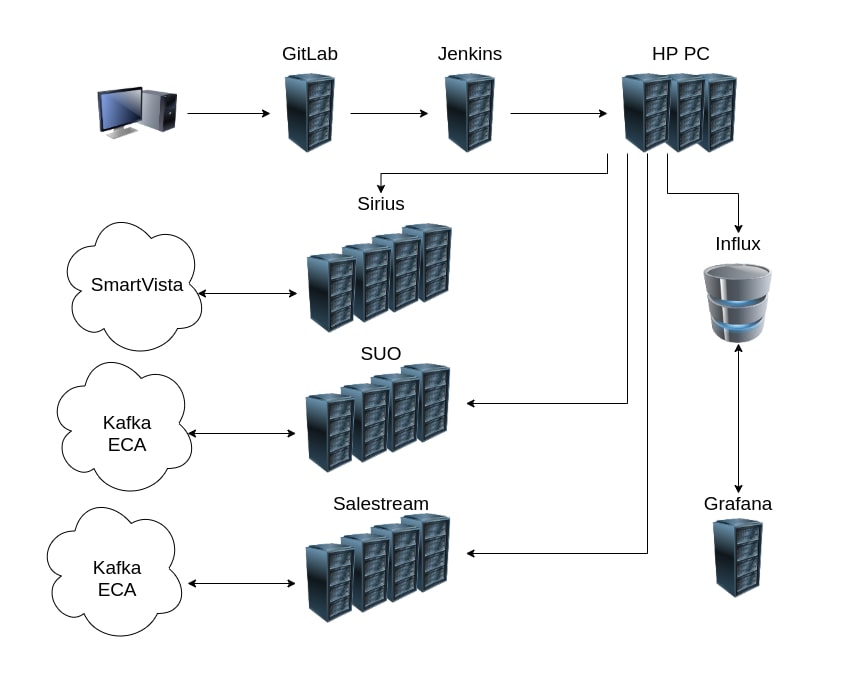
How performance testing of the ATM control system was automated.
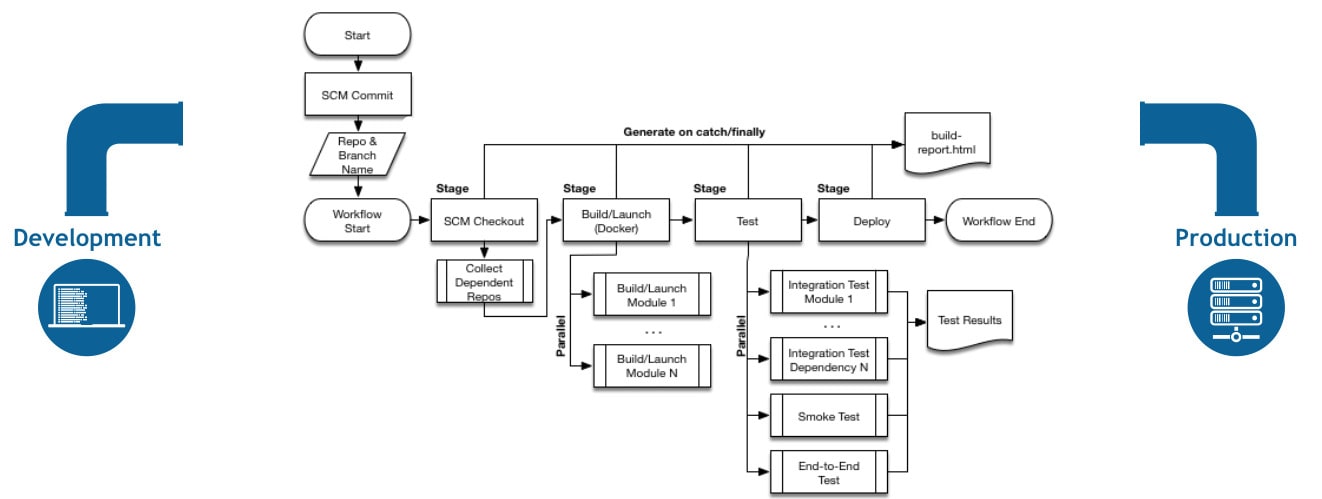
The Jenkins pipeline stages.
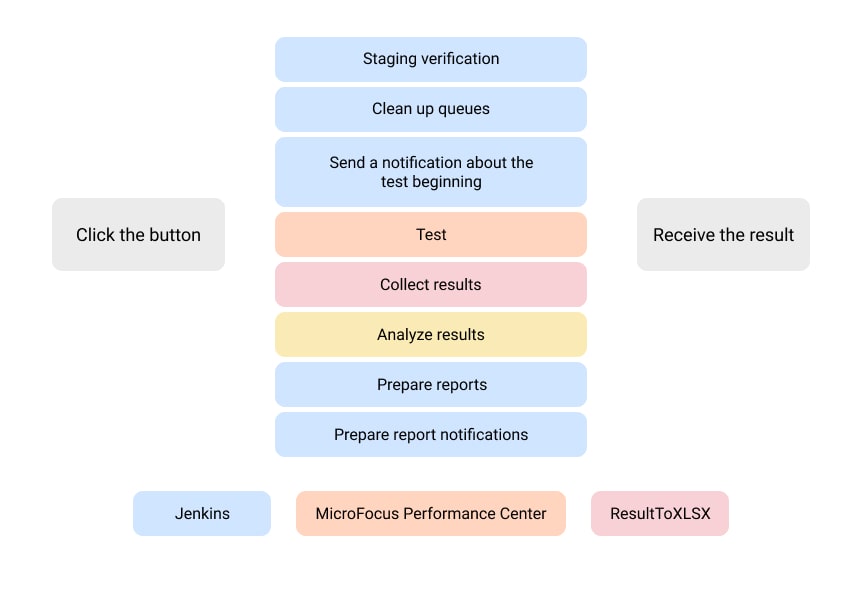
One button runs the whole sequence: staging verification, queue clean-up, the test itself, results collection and analysis, then report preparation and notification.
The control system that manages all of this does not stand alone. When the bank launches something new, customers learn about it on ATM screens, in mobile apps and on in-branch displays - so the control system talks to retail and corporate applications, SmartVista, authentication, and the services that drive branch screens and ticketing.
At 190,000 machines, a control system that slows down does not produce an error message. It produces maintenance teams that arrive late.
The task: make performance testing fast enough to run every time
The client asked for automation of performance testing for the ATM control system - not a one-off measurement, but a way to run it often enough that it stops being a bottleneck in critical business processes.
The pipeline we built
Clicking Start Test in Jenkins now triggers a fixed sequence, with no manual step between them:
1. Select the test type through job parameters. 2. Verify the staging environment - correct versions across every server and application, checked automatically across several dozen servers, emulators and stubs. 3. Clean the notification queue. 4. Send a test-start notification to the distribution list. 5. Launch the selected test in LoadRunner. 6. Run the test with real-time monitoring through Zabbix, Java agents and Telegraf. 7. Collect results via dedicated Java applications (GrafanaReporter, ResultToXLSX). 8. Assemble the report, including images and tables, as a separate pipeline phase. 9. Send the report out by notification.
Test scripts live in a GitLab repository connected to Jenkins through Git integration, so after any change the pipeline detects which files moved since the last run rather than rebuilding everything.
Why the environment check matters more than it sounds
Step 2 is the step most teams skip, and it is the one that invalidates results. On a staging environment of several dozen servers, emulators and stubs, a single component left on a previous version turns a performance run into a measurement of the wrong system. Automating that verification is what makes the numbers from the other eight steps trustworthy.
Results
- Test preparation and execution became automatic end to end - script sync from GitLab, test selection, run, real-time monitoring, results collection, report assembly and notification, all as pipeline stages.
- ResultToXLSX derives the test phases from the user count, compares actual load against the load profile and computes the 90th percentile response time per transaction, exporting it as a table.
- The results archive is emailed to the ATM testing engineers at the end of each run, so analysis starts without anyone chasing artefacts.
- Release preparation got faster and the overall project time shorter, which is what makes it affordable to test on every change rather than occasionally.
- Known limits, stated honestly: the load profile for the maximum-search test still has to be set by hand, and virtual-user calculation still happens in a spreadsheet. Both are next on the automation list.
Questions this engagement answers
Can performance testing run inside CI?
Yes - this pipeline runs from Jenkins, with LoadRunner as the load generator and the environment verification, monitoring, reporting and notification steps all automated around it.
What does performance testing automation actually remove?
The manual work between tests: checking versions across dozens of servers, clearing queues, collecting results, formatting a report, telling people it finished. That work is why teams test rarely; automating it is why they can test every release.
How do you monitor a test across a large estate?
Here: Zabbix plus Java agents and Telegraf for real-time metrics during the run, with results collected by purpose-built Java applications and rendered into Grafana reports and spreadsheets.
Running tests less often than you would like?
If performance testing takes a specialist two days of setup, it will happen twice a quarter. Automate the setup and it happens every release - which is when it actually protects anything.